Target Widget
The Target widget compares a selected report value with a configured target. Use it when the report should show whether a metric is below, near, or above an expected goal.
Inputs and Controls
| Control | Description |
|---|---|
| Data set | Select the report dataset used by the widget. |
| Title | Label shown above the target value. |
| Description | Supporting text shown with the target. |
| Value font size | Small, medium, or large target value. |
| Target value | Enter the benchmark used for comparison. |
| Chart type | Bar, horizontal bar, pie, or doughnut chart. |
Tips and good uses
Tips
- Use realistic target values.
- Review targets when report periods change.
- Use clear value postfixes so the target unit is obvious.
Good uses
- Lead target tracking
- Sales or revenue target tracking
- Cost limit monitoring
- Campaign performance against plan
Configuration and Usage
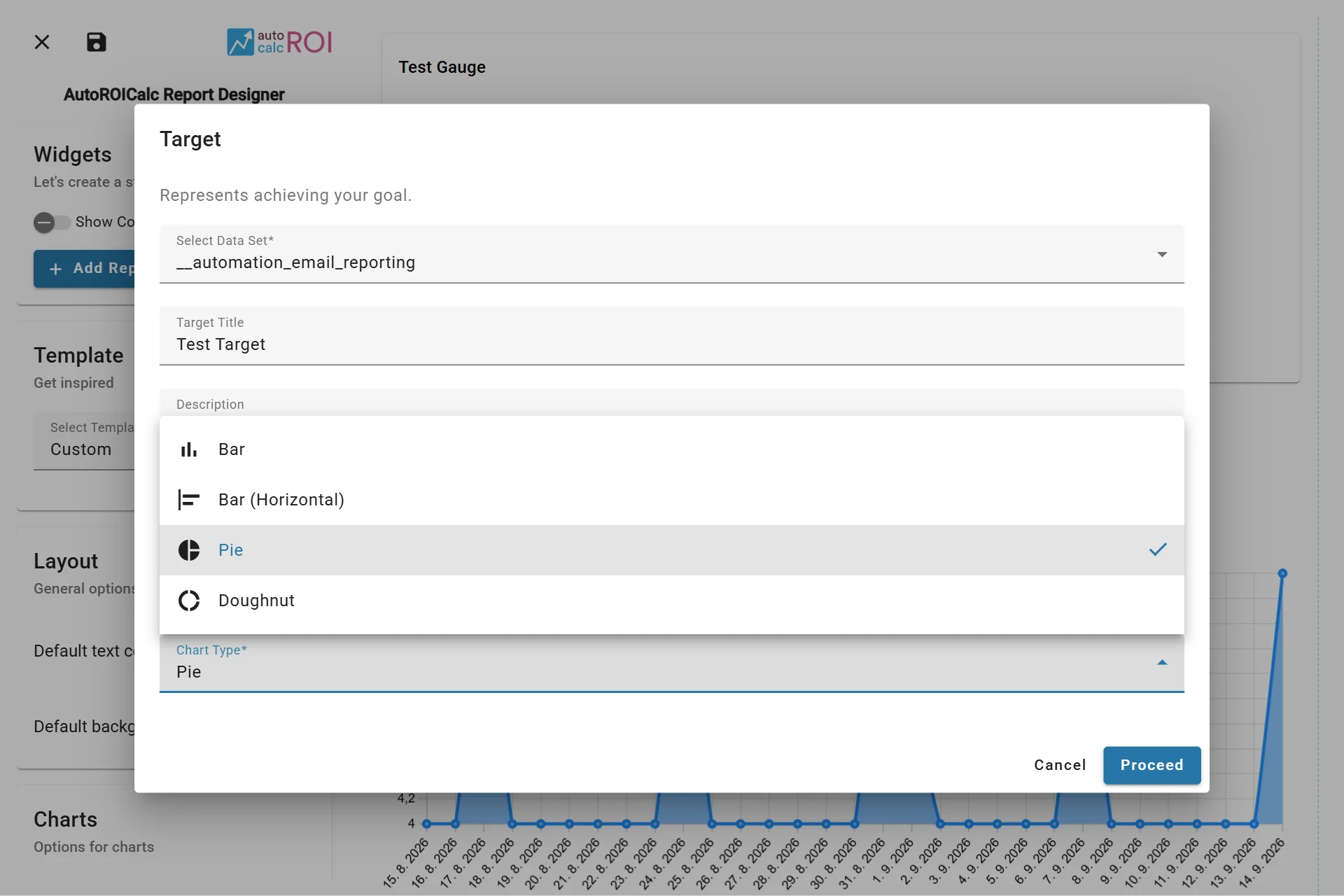
Configuring the Target Widget
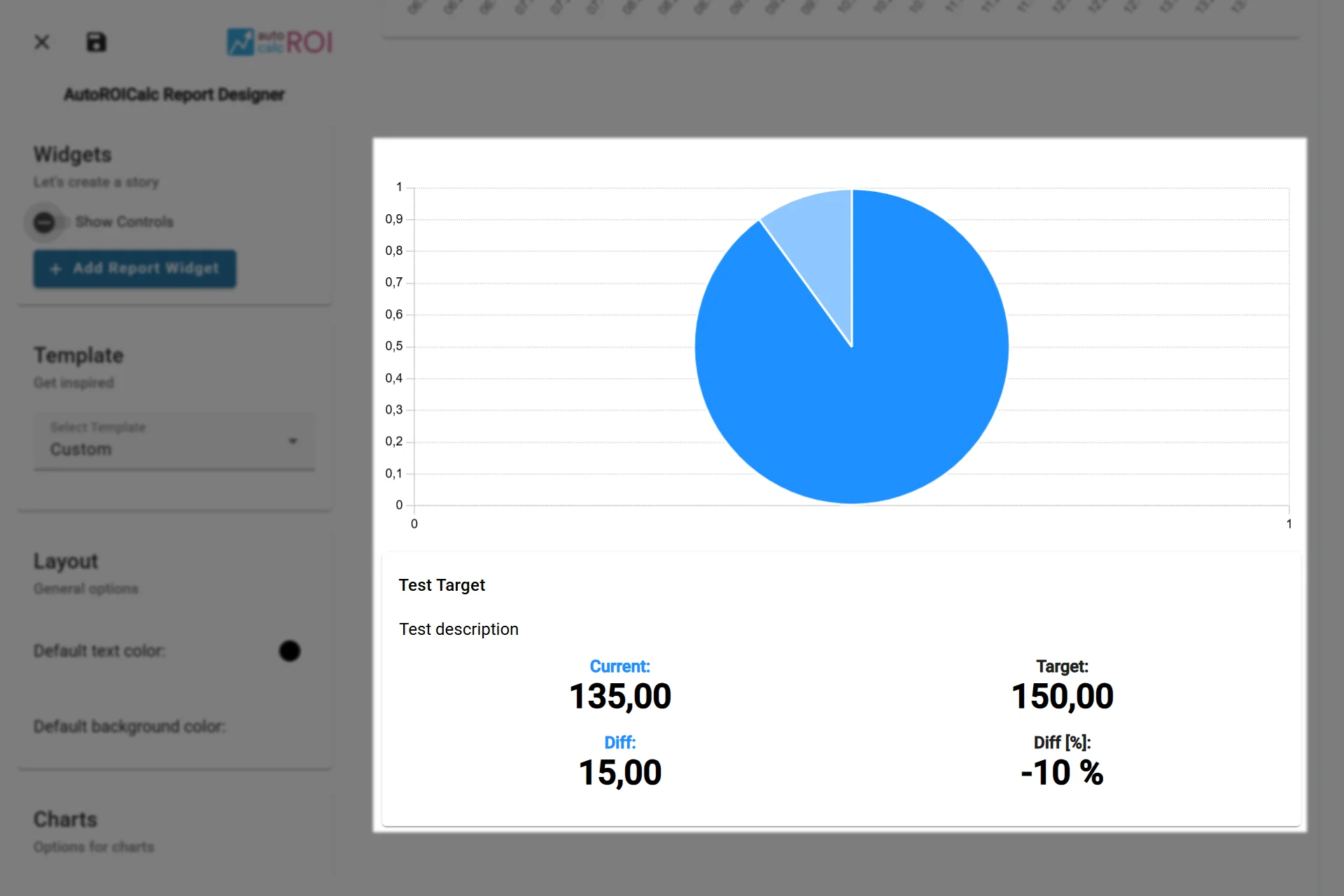
A sample usage of the Target Widget
Embed This Widget
Embed a Target widget saved in your report layout to show the current result, target, and differences. Use public access only for report data that is safe to share publicly, or authenticated backend access for a private integration.
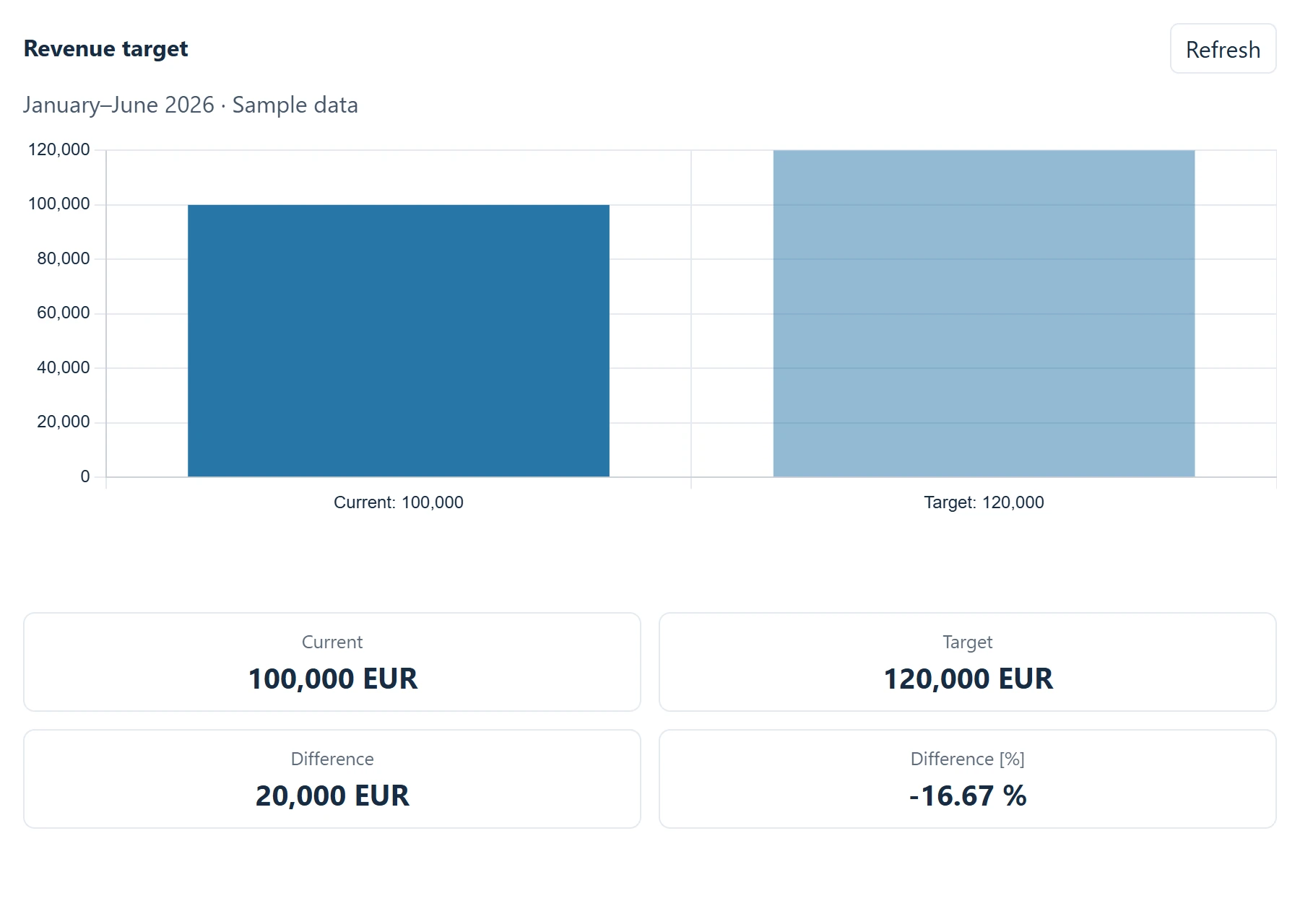
Revenue target rendered outside AutoROICalc — sample data.
Follow the Report Widget API guide for the endpoint and iframe setup.