Scheduled Imports
Scheduled imports let AutoROICalc collect provider data repeatedly and turn it into records for reports and dashboards. They are useful for recurring marketing, SEO, advertising, and performance reporting.
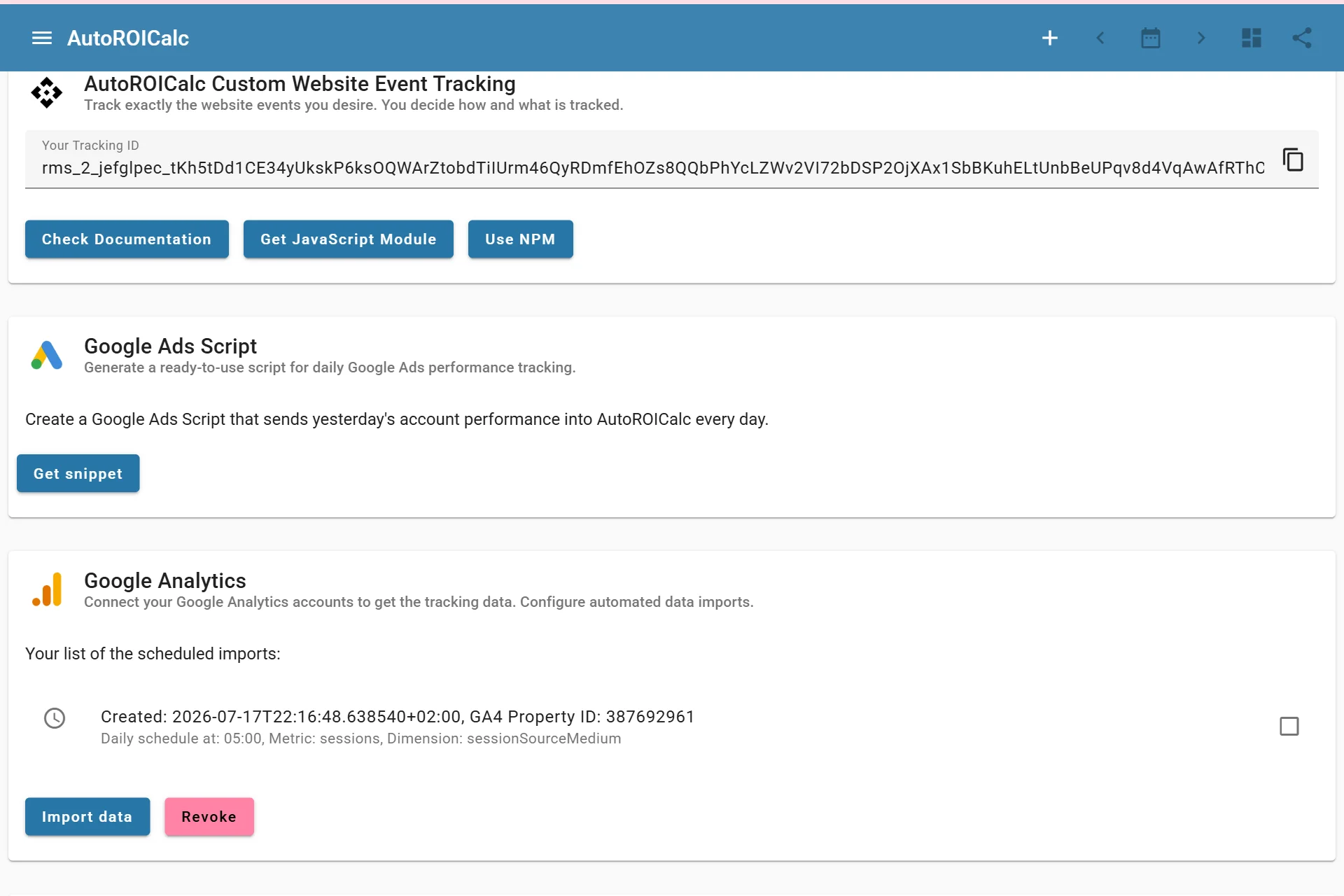
Listing active automated imports
Where Scheduled Imports Appear
Scheduled import configurations are managed from the Integrations page. Provider sections can show saved configurations with the provider account, selected fields, schedule details, and available actions.
Scheduled imports are available for supported integrations such as:
- Google Analytics
- Google Search Console
- Facebook Ads Manager
Managing Scheduled Imports
Depending on the provider and account permissions, you can:
- Run an import manually
- Edit the scheduled import configuration
- Delete the scheduled import
- Revoke provider access
- Re-authenticate access when provider credentials expire
- Review import history where available
Import History
Import history helps check whether previous imports ran successfully. Use it when you need to confirm that scheduled provider data is arriving before building reports or dashboards from it.
Good Practices
- Start with a focused import configuration.
- Use consistent record types and sources across providers.
- Check imported records before building important reports.
- Keep provider access connected and re-authenticate when needed.
- Remove old scheduled imports that are no longer used.