Google Analytics Integration
The Google Analytics integration imports GA4 data into AutoROICalc records. This helps you use website and campaign metrics inside ROI reports, dashboards, and recurring business reporting.
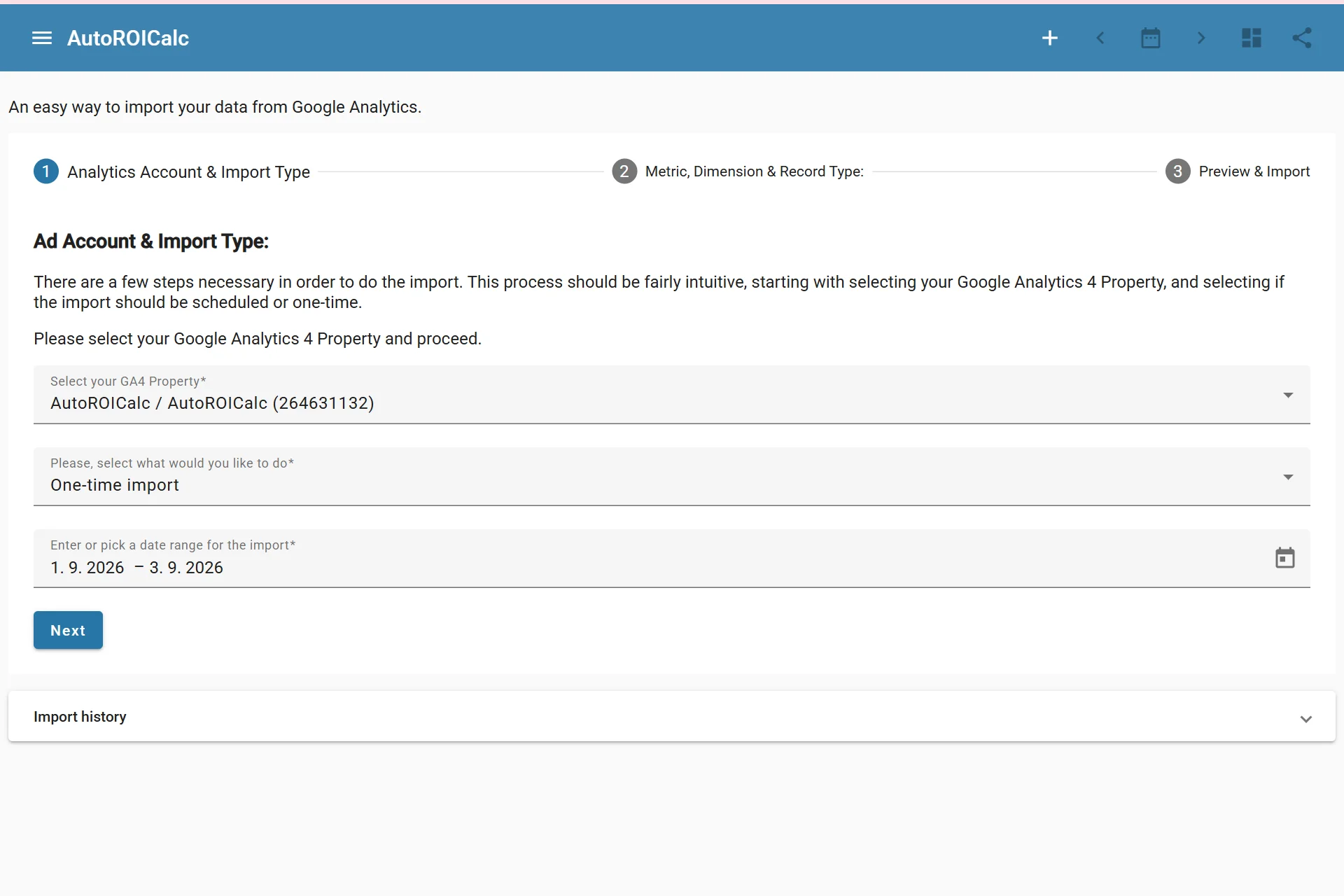
Importing data from Google Analytics
What It Is Used For
Use the Google Analytics integration to bring GA4 metrics and dimensions into AutoROICalc, for example:
- Website traffic reporting
- Campaign performance analysis
- Conversion and event reporting
- Channel or source comparison
- Dashboard views that combine analytics data with cost or revenue records
Connection Flow
The integration uses Google authorization. After connecting Google Analytics, you can create scheduled import configurations and import data into AutoROICalc records.
Typical steps:
- Connect Google Analytics from the Integrations page.
- Select the GA4 property and import settings.
- Choose the metric and dimension mapping.
- Configure the schedule if recurring imports are needed.
- Save the scheduled import.
- Run an import or let the schedule run automatically.
Managing the Integration
From the Integrations page, you can:
- Run an import manually
- Edit a scheduled import
- Delete a scheduled import
- Revoke Google Analytics access