Breakdown Widget
The Breakdown widget shows custom breakdown data from records. Use it when records contain structured custom data and the report should analyze a specific breakdown key or metric.
Inputs and Controls
| Control | Description |
|---|---|
| Filter breakdowns | Limit the widget to selected breakdowns. |
| Breakdown selection | Choose breakdowns to display when filtering is enabled. |
| Metric | Select the metric used to order and summarize items. |
| Items limit | Set the maximum number of breakdown items shown. |
| Sort direction | Sort items ascending or descending. |
| Search | Search the visible breakdown items. |
Tips and good uses
Tips
- Breakdown widgets depend on custom data being present in records.
- Use clear custom data keys and metric names.
- Pair breakdowns with Data Table widgets when readers need exact values.
Good uses
- Product-level sales breakdowns
- Campaign, query, page, or country breakdowns
- Custom integration details
- Imported provider data stored in custom data
Configuration and Usage
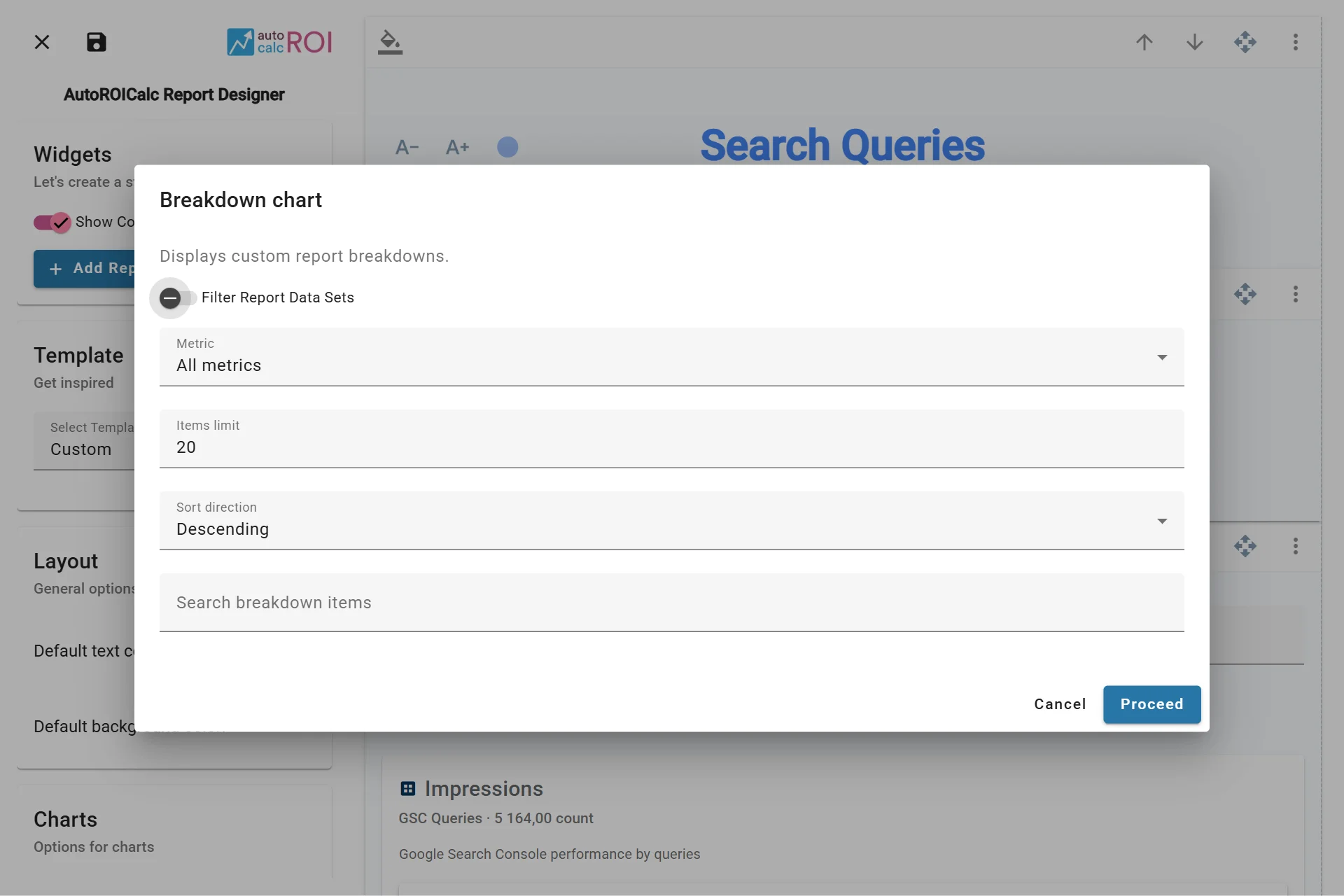
Configuring the Breakdowns Widget
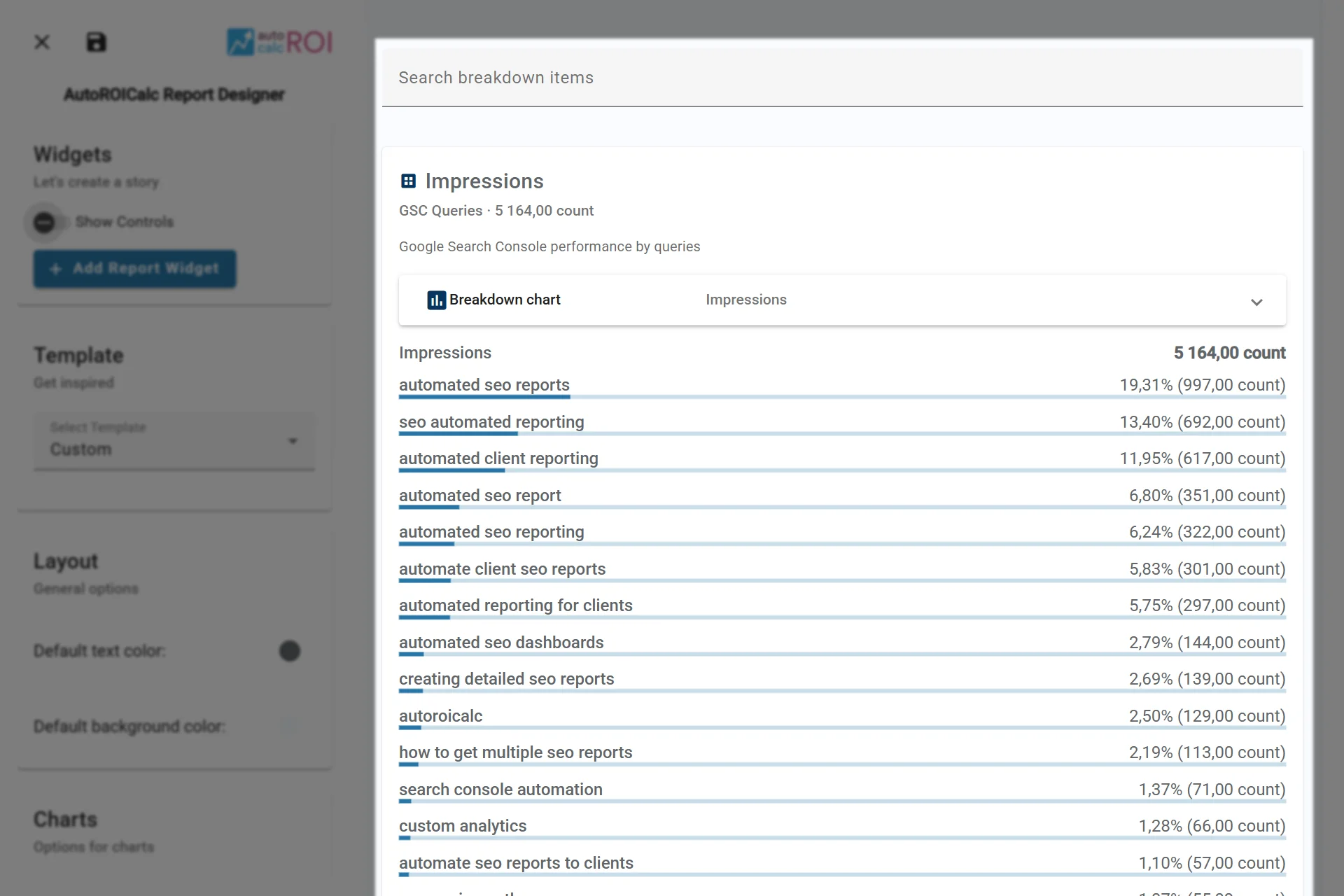
A sample usage of the Breakdowns Widget