Records API
Use the AutoROICalc Records API to create, update, read, and delete records from external systems. It is useful for custom apps, backend services, scheduled jobs, webhooks, internal tools, and automated reporting workflows.
Instead of adding records manually or uploading files, the API lets your system send structured business data directly to AutoROICalc. Those records can then be used in reports, dashboards, ROI calculations, campaign tracking, and performance analysis.
Full API reference
This page is a short overview. For endpoint details, request formats, response examples, and available operations, use the live API documentation.
When to Use the Records API
Use the Records API when you want to:
- Send records automatically from another application
- Connect internal systems with AutoROICalc reports
- Import leads, sales, costs, conversions, or revenue events
- Run scheduled data syncs without manual uploads
- Build custom integrations for business reporting and ROI tracking
Typical Record Data
API records usually include the same data used across AutoROICalc:
- Date and time
- Record type
- Description
- Source
- Tags
- Value
- Optional raw data
- Optional custom data
Keeping these fields consistent helps reports and dashboards group, filter, and compare records correctly.
Raw Data and Custom Data
Records can include two optional JSON fields: raw_data and custom_data.
| Field | Type | Use for |
|---|---|---|
raw_data |
Any JSON value | Original provider payloads, API responses, import rows, request context, or debugging data |
custom_data |
JSON object | Extra structured record context that should be searchable, filterable, or usable in reports |
Use raw_data to preserve where the record came from. Use custom_data for cleaned, stable details that should stay useful inside AutoROICalc.
Basic Custom Data Example
A simple sales record can keep the main reporting values in the standard fields and store system-specific identifiers in custom_data:
{
  "date": "2026-08-24",
  "time": "14:30:00",
  "type": "sale",
  "activity": "closed",
  "desc": "WooCommerce order paid",
  "source": ["woocommerce"],
  "tags": ["ecommerce", "paid-order"],
  "value": 129.9,
  "custom_data": {
    "schema": "rms.record.custom.v1",
    "order_id": "order-456",
    "customer_id": "customer-123",
    "campaign_id": "summer-sale-2026"
  }
}
Report Breakdown Example
For richer reporting, custom_data can include breakdowns. A breakdown groups extra metrics by product, campaign, query, page, country, device, or another reporting dimension.
{
  "custom_data": {
    "schema": "rms.record.custom.v1",
    "breakdowns": [
      {
        "key": "products",
        "title": "Products",
        "description": "Sold products from ecommerce order",
        "items": [
          {
            "key": "product:product-1",
            "title": "Product 1",
            "attributes": {
              "product_id": "product-1",
              "sku": "SKU-001"
            },
            "metrics": [
              {
                "key": "revenue",
                "title": "Revenue",
                "value": 129.9,
                "unit": "currency"
              },
              {
                "key": "quantity",
                "title": "Quantity",
                "value": 1,
                "unit": "count"
              }
            ]
          }
        ]
      }
    ]
  }
}
AutoROICalc can aggregate numeric breakdown metrics in reports. Keep key values stable, because they are used for matching and grouping.
Keep custom data predictable
Use consistent field names across integrations, such as order_id, campaign_id, or crm_lead_id. Consistent custom data is easier to search, filter, audit, and reuse in reports.
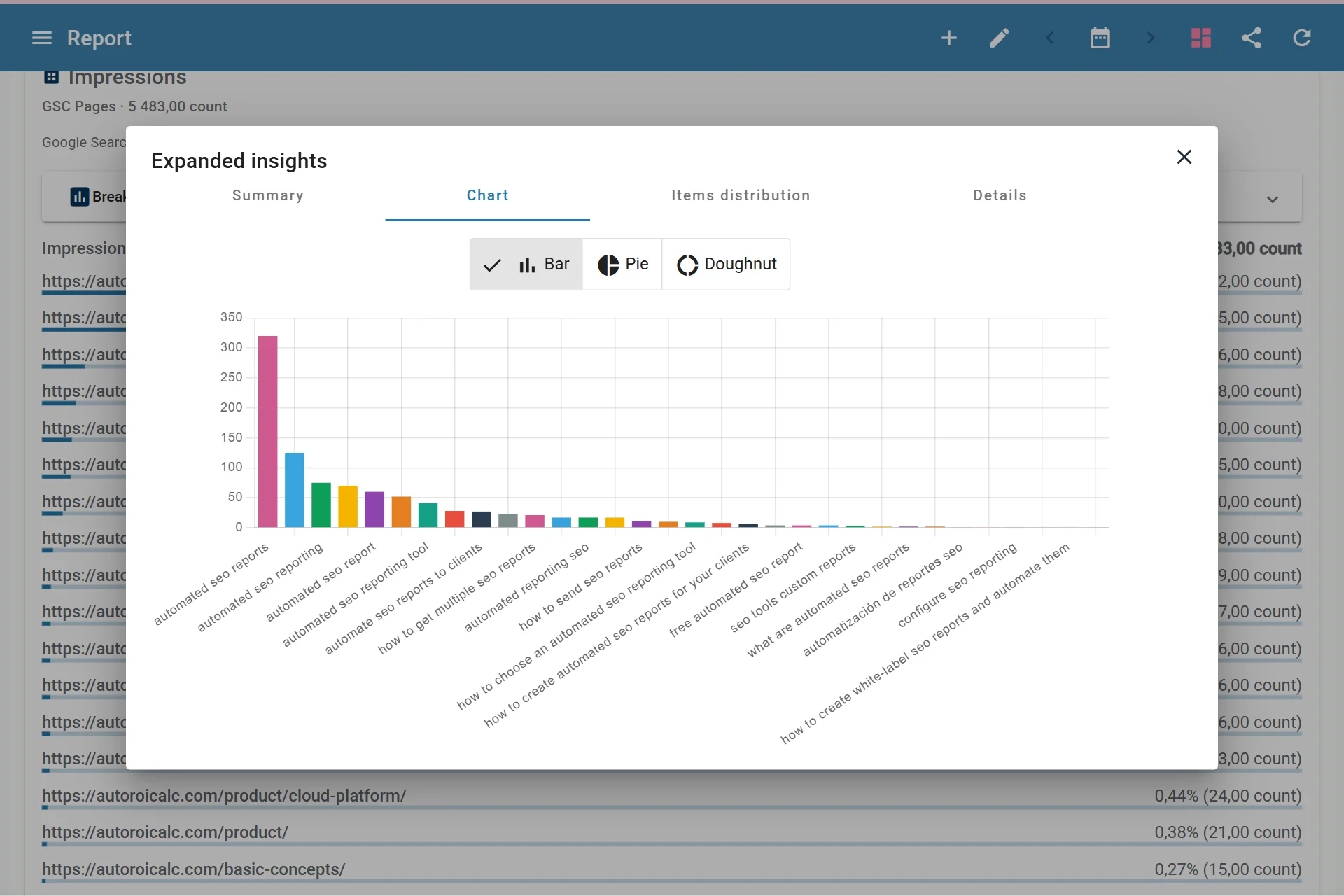
Records Breakdown Data Used in Reports
Raw Data Example
Raw data is useful for keeping the original source payload without mixing it into reporting fields:
{
  "raw_data": {
    "provider": "woocommerce",
    "order_id": "order-456",
    "payload": {
      "line_items": [
        {
          "product_id": "product-1",
          "quantity": 1
        }
      ]
    }
  }
}
Raw data is best for traceability and debugging. If a value should be used for filtering, reporting, or grouping, also add it to custom_data in a stable shape.
API or File Import?
Use file imports when you have occasional CSV, XML, or ARC files to upload.
Use the Records API when data should arrive continuously, automatically, or from a system you control.