Report Data Enrichment
Data enrichment adds calculated metrics to a report. It uses existing report items as inputs and creates new values, such as ROI, cost per conversion, percentage change, ratios, totals, or custom formulas.
Use enrichment when the raw record values are useful, but the business question needs an additional calculation.
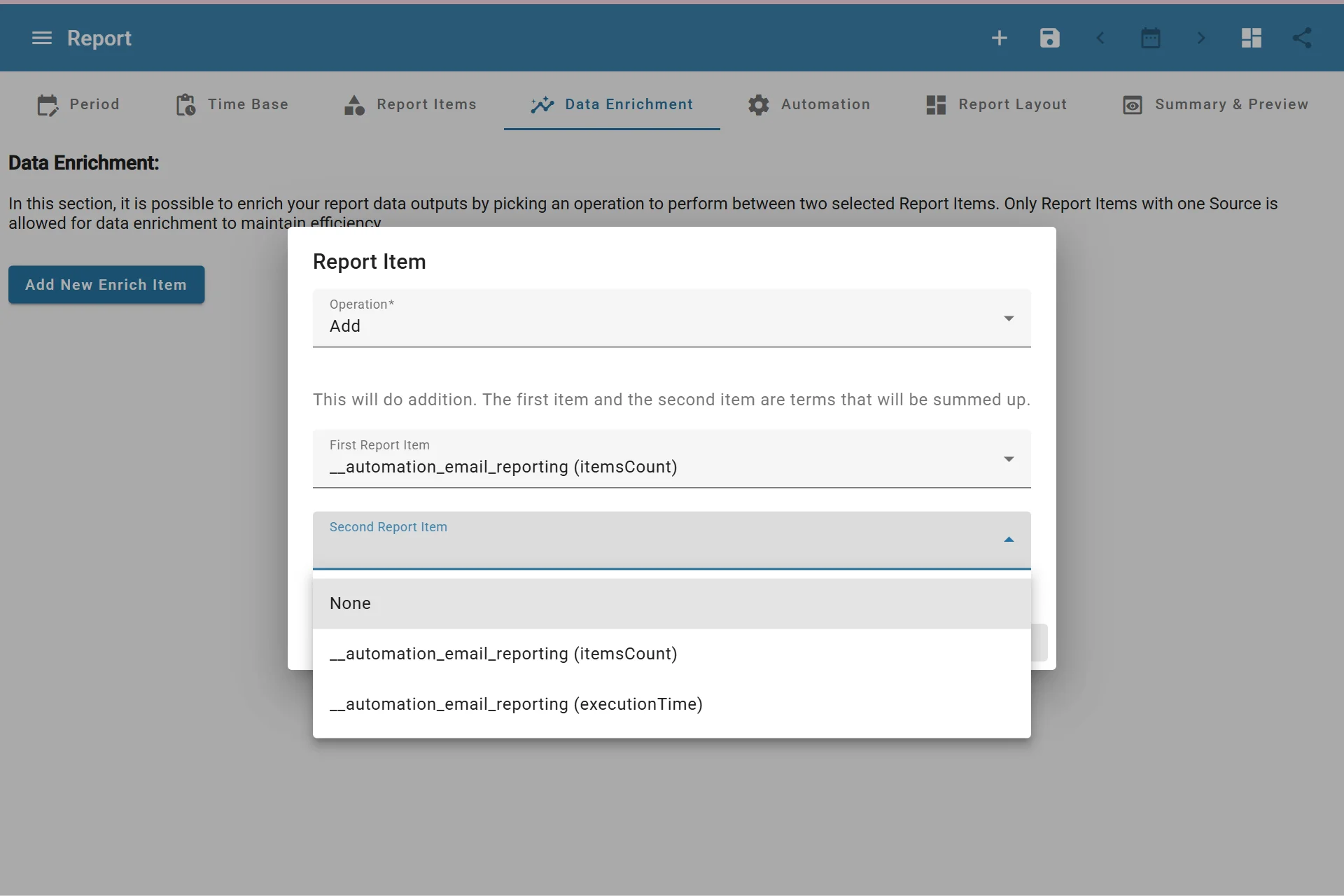
Adding Report Data Enrichment Item
When to Use Data Enrichment
Data enrichment is useful for questions such as:
- What is the ROI of a campaign?
- What is the cost per conversion?
- How much did one metric change compared with another?
- What percentage of a target or total does an item represent?
- What custom formula should be shown in the report?
Available Operations
AutoROICalc supports these enrichment operations:
| Operation | Use for |
|---|---|
| ROI | Return on investment calculations |
| Add | Combining two values |
| Subtract | Difference between two values |
| Cost Per Conversion | Cost divided by conversions |
| Divide | Ratio between two values |
| Multiply | Multiplying two values |
| Percentage Of | Showing one value as a percentage of another |
| Percentage Change | Comparing change between two values |
| Custom Formula | Building a formula from report items, constants, and functions |
Custom Formulas
Custom formulas can combine report items with operators, constants, grouping, and functions. Supported operators include +, -, *, and /. Supported functions include min, max, and avg.
Use custom formulas when the built-in enrichment operations are close, but not specific enough for your reporting logic.
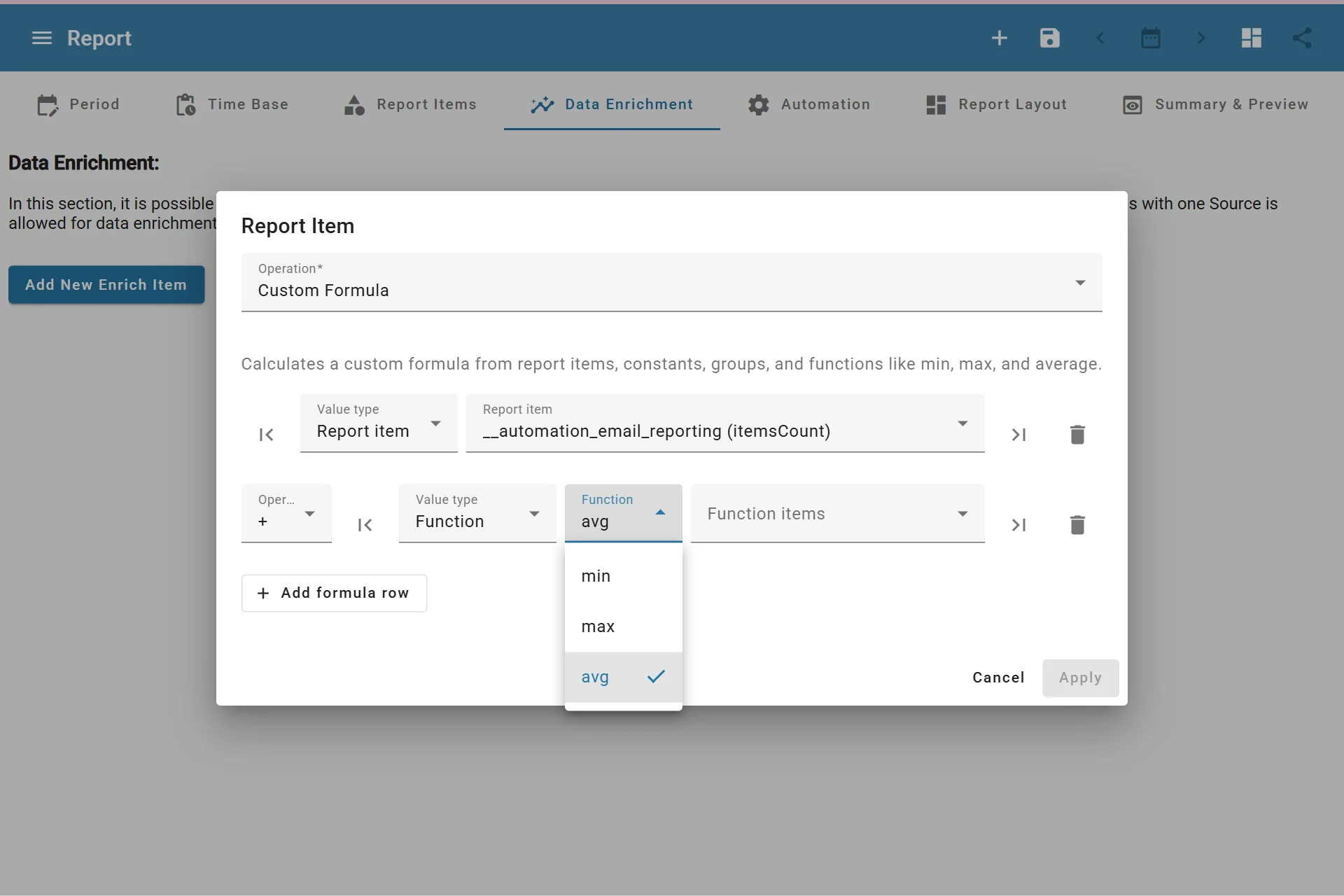
Configuring Custom Formula
Enrichment Item Settings
Enrichment items can also have presentation settings:
- Custom title
- Value postfix
- Value rounding
- Hidden source
- Color
- Filled style
- Border pattern style
These settings make calculated values easier to read in charts, tables, and advanced layouts.
Start with clear report items
Data enrichment works best when the source report items have clear names, consistent record sources, and predictable values.