Dashboard Email Reporting
Dashboard email reporting lets AutoROICalc send a saved dashboard on a schedule. It is useful for recurring stakeholder updates, internal management reporting, or client reporting workflows.
Shared property permissions
Admins and owners can manage dashboard email schedules. Delivery uses the host owner's email configuration, which only the owner can change. See property roles.
When to Use Email Reporting
Use dashboard email reporting when:
- A dashboard should be reviewed regularly
- Clients or stakeholders need scheduled updates
- A team wants a recurring performance summary
- Reporting should run without manually opening the dashboard
Email Reporting Settings
Use the dashboard email reporting controls to enable delivery and define the schedule for the selected dashboard.
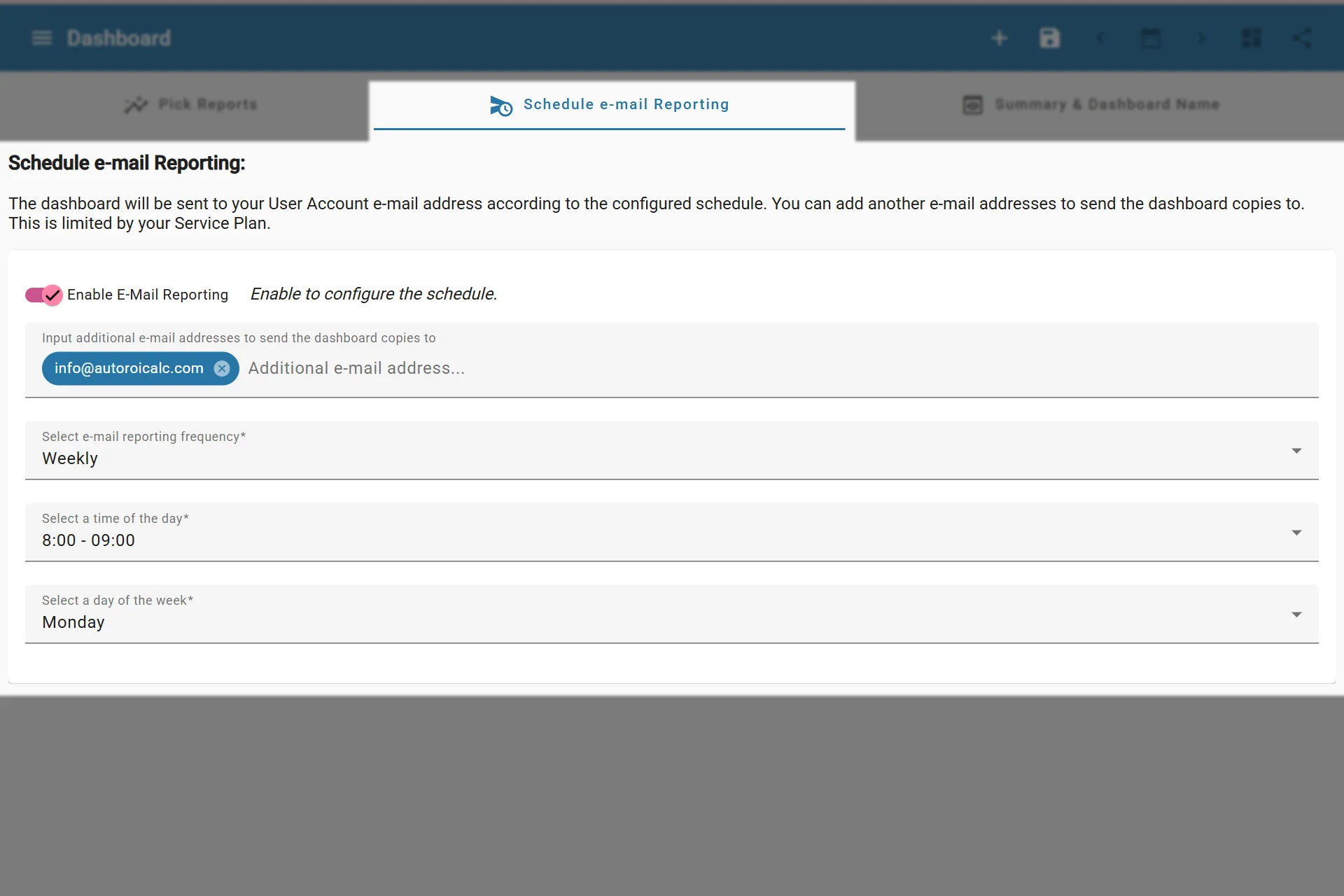
Enabling dashboard email reporting
When email reporting is enabled, the dashboard can store settings such as:
| Setting | Description |
|---|---|
| Enabled | Turns scheduled dashboard email reporting on or off |
| CC recipients | Optional email addresses that should receive a copy |
| Frequency | Controls how often the dashboard email is sent |
| Time | Selects the time of day for sending |
| Weekday | Used for weekly schedules |
| Month day | Used for monthly schedules |
The required fields depend on the selected frequency. For example, weekly schedules need a weekday and monthly schedules need a month day.
Email delivery settings are account-level
Dashboard email reporting controls the dashboard schedule and recipients. SMTP delivery, sender address, and email report template options are configured in the account-level Email Settings page.
Good Practices
- Keep dashboards focused before sending them by email.
- Use clear dashboard names so recipients understand the report context.
- Test the dashboard manually before enabling recurring delivery.
- Review recipient lists when clients, teams, or reporting responsibilities change.