Google Ads Script Integration
The Google Ads Script integration supports a script-based workflow for sending Google Ads data to AutoROICalc. It is useful when you want to collect advertising data from Google Ads and use it in AutoROICalc records, reports, and dashboards.
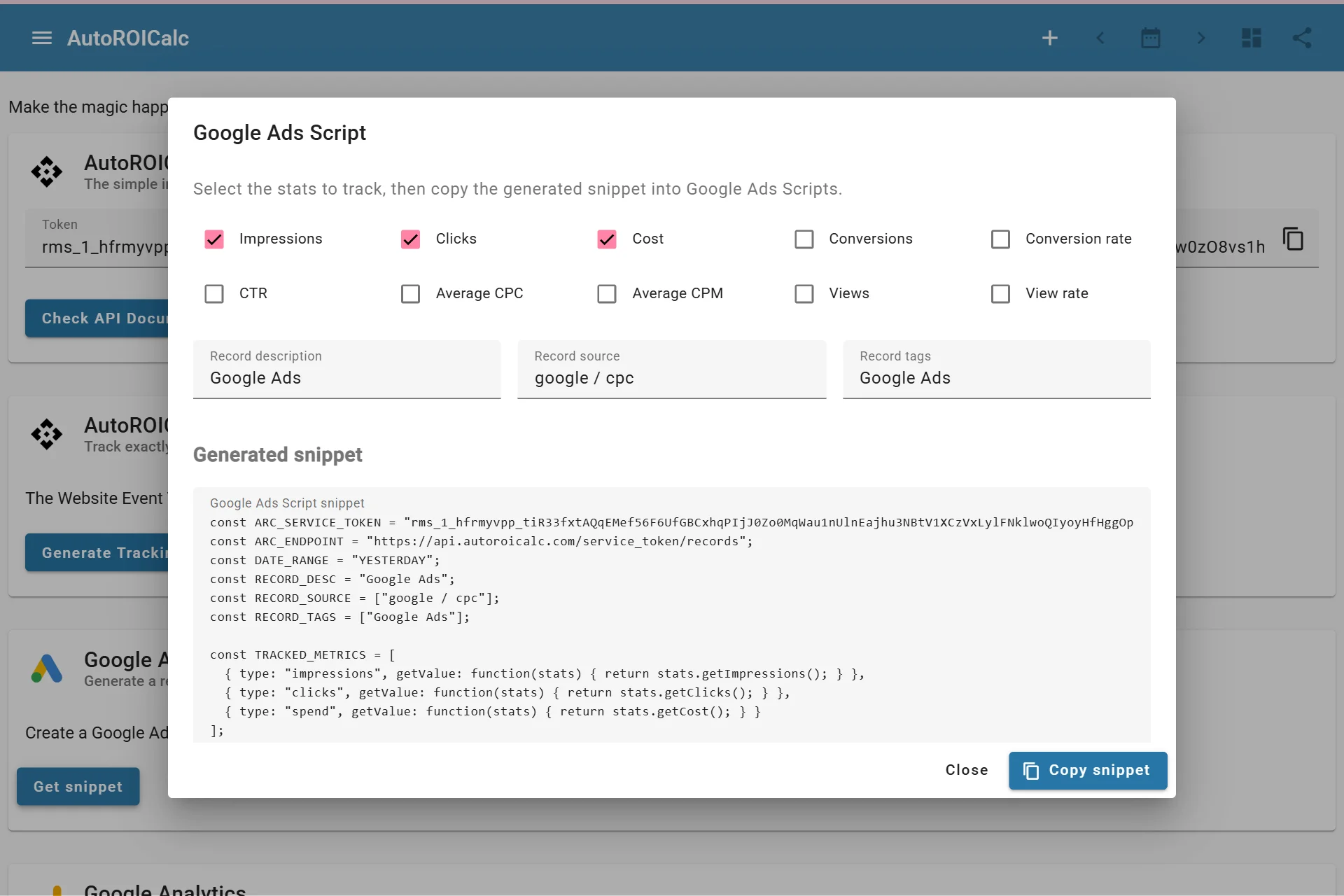
Configuring script to get data from Google Ads
How It Works
The Google Ads script uses your AutoROICalc service token to send data from Google Ads into AutoROICalc. The imported data can then be used like other records.
Typical use cases include:
- Google Ads cost reporting
- Campaign and source performance tracking
- ROI dashboards that combine ad spend with conversions or revenue
- Scheduled advertising data imports
Before You Start
You need:
- Access to the AutoROICalc Integrations page
- An AutoROICalc service token
- Access to the Google Ads account where the script will run
- A clear mapping between Google Ads metrics and AutoROICalc record types
Set Up the Script
Open Integrations > Google Ads Script > Set up Google Ads Script. The guide has four tabs:
- Service token: create a dedicated Google Ads API token with only
records:writeaccess (recommended). Alternatively, expand Paste a saved token and paste the full token from your password manager or an existing script. It must haverecords:writeaccess. After creation, a named success panel confirms the token is already included in the script. You can copy the token separately, then choose Continue to metrics. Copy the finished script from the Install tab before closing the guide. - Metrics: select clicks, impressions, cost, or other supported metrics. Each metric produces its own record; cost uses the
spendrecord type. - Records & campaigns: set the default description, source, and comma-separated tags. Add campaign mappings using an exact, case-sensitive Google Ads campaign name. Each mapping has a required source and optional description and tags, which inherit defaults when blank.
- Install: review the selected metrics, account totals, and campaign mappings, then copy the script, authorize it in Google Ads, and run Preview. Preview logs the record count without importing records. Run once to check the import response, then schedule a daily run.
For example, if Campaign A uses arc_source=campaign_a in its URL options, map Campaign A to campaign_a in the guide. The campaign's spend, clicks, and impressions then use the same record source as tracked visits. Campaign reporting includes Performance Max.
Adding the first campaign mapping turns off account totals. You can enable them again, but account totals already include campaign performance: filter them separately in reports to avoid double counting. Unmapped campaigns are skipped. Missing campaign data is logged, and duplicate Google Ads campaign names stop the import because attribution would be ambiguous. Update the mapping and installed script after renaming a campaign.
The script uses yesterday's date in the Google Ads account's time zone. Schedule one run per day; rerunning the same day can create duplicate records. Keep the script private because it contains the token secret.
Good Practices
- Keep the service token private.
- Use consistent record types for imported ad metrics.
- Use source names that identify the advertising platform, account, campaign, or channel.
- Test with a small date range before relying on the data in dashboards.