Report Automation
Report automation helps you keep reports useful without checking them manually every time. Automation can send notifications or update report periods based on configured rules.
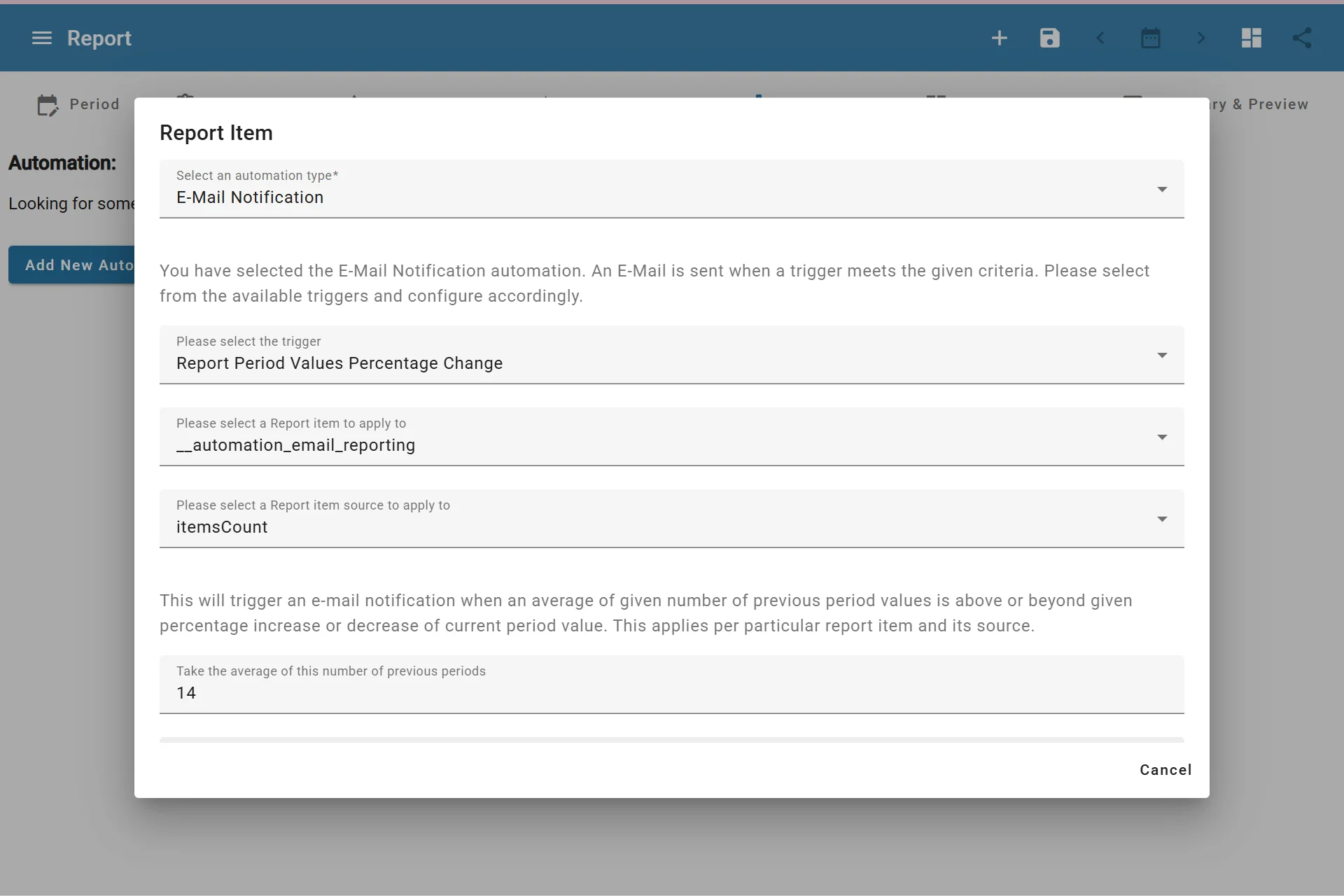
Adding Report Automation Item
Shared property permissions
Only admins and owners can change report automation. Editors can edit report content while existing automation is preserved. SMTP and integration configuration remain owner-only. See property roles.
Available Automation Types
AutoROICalc currently supports two main report automation types:
| Automation type | Purpose |
|---|---|
| Email Notification | Sends an email when a report item meets a trigger condition |
| Update the Report | Updates the report period when a date-based trigger is reached |
Email Notification Triggers
Email notifications can be based on report item changes, including:
- Report period values percentage change
- Report item trend line slope change
Use these notifications when you want to know about meaningful changes in a cost, lead, sale, conversion, revenue, or other tracked metric.
Update Report Automation
Update report automation can update a report when the report end date is reached. Available actions include:
- Extend the date range period
- Shift the date range period
This is useful for reports that should continue moving forward as time passes.
Date range requirement
Some automation options are available only for reports that use a fixed Date Range period.
Good Automation Practices
- Start with one automation rule per report.
- Use clear report item names before adding notifications.
- Set thresholds high enough to avoid noisy alerts.
- Review automation behavior after the first few runs.